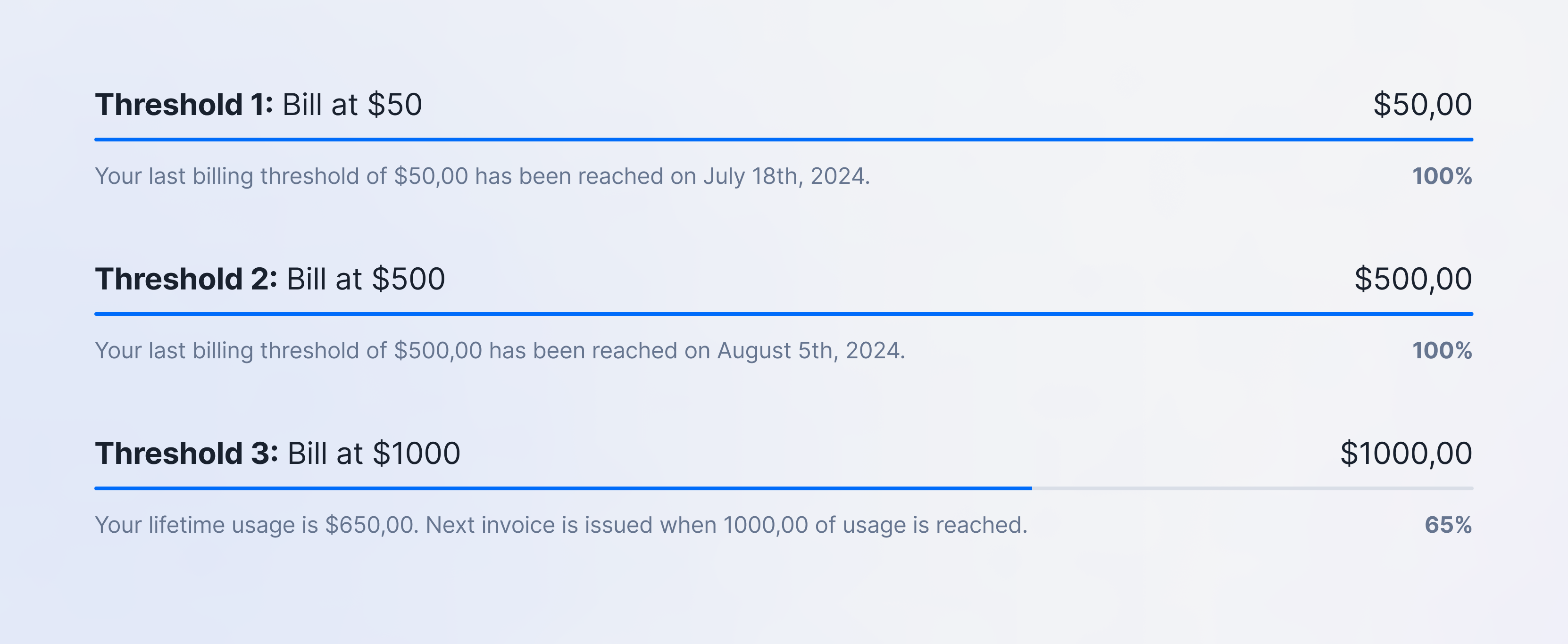
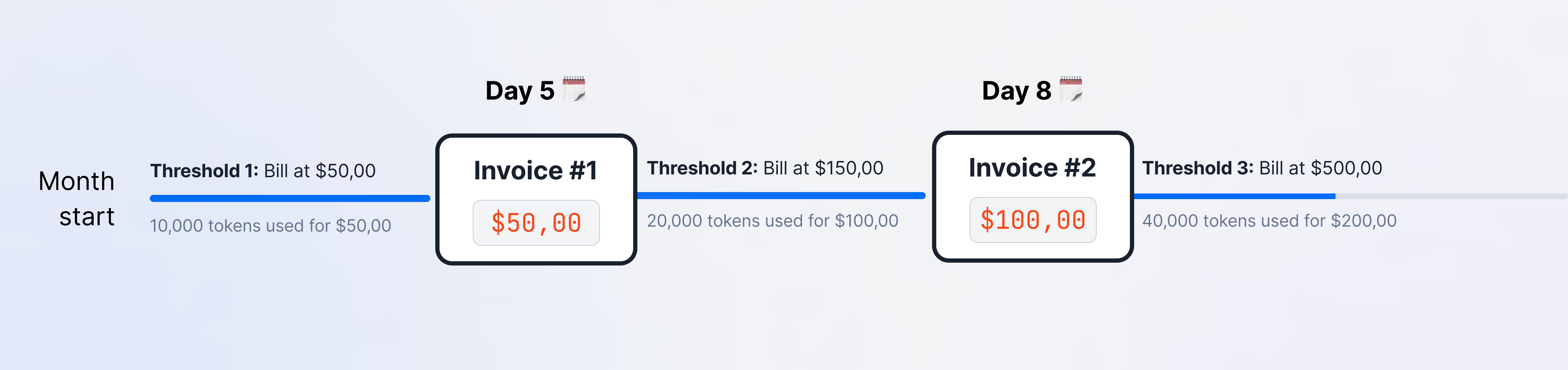
Progressive billing, also known as threshold billing, invoices a customer automatically when their cumulative usage reaches a threshold you define. It limits how much usage can accrue before payment.
PREMIUM ADD-ON ✨This progressive billing feature is available upon request only. Please contact us to get access to this premium feature.
In the context of progressive billing, thresholds and invoicing behavior are determined by the lifetime usage of a subscription.
This approach means that Lago continuously tracks and aggregates the total usage across all billing periods.
By considering this cumulative usage, Lago can accurately assess whether a customer has reached predefined thresholds.When the lifetime usage reaches a threshold, Lago triggers the invoicing
process, so usage is invoiced before it exceeds the limits you set. This guards
against usage accruing without a corresponding invoice and payment. Lifetime
usage persists across periods: Lago accounts for the entire history when it
decides whether an invoice is due.
The lifetime usage is calculated based on the usage amount before taxes.
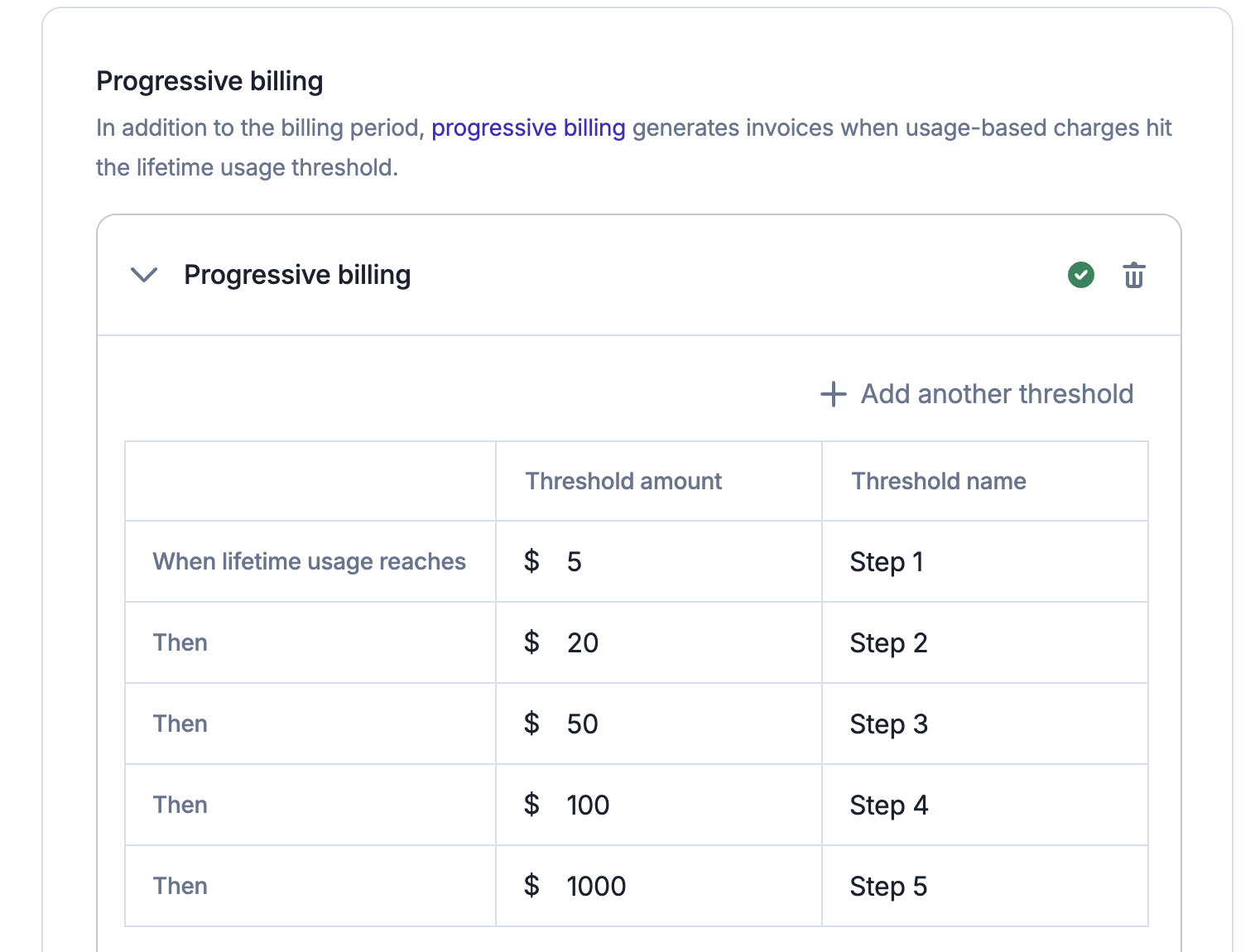
For step-based thresholds, invoices are generated when the lifetime usage of a subscription reaches a defined threshold.
You can set an unlimited number of thresholds, each with a specific amount and a unique name.To add step-based thresholds from the UI:
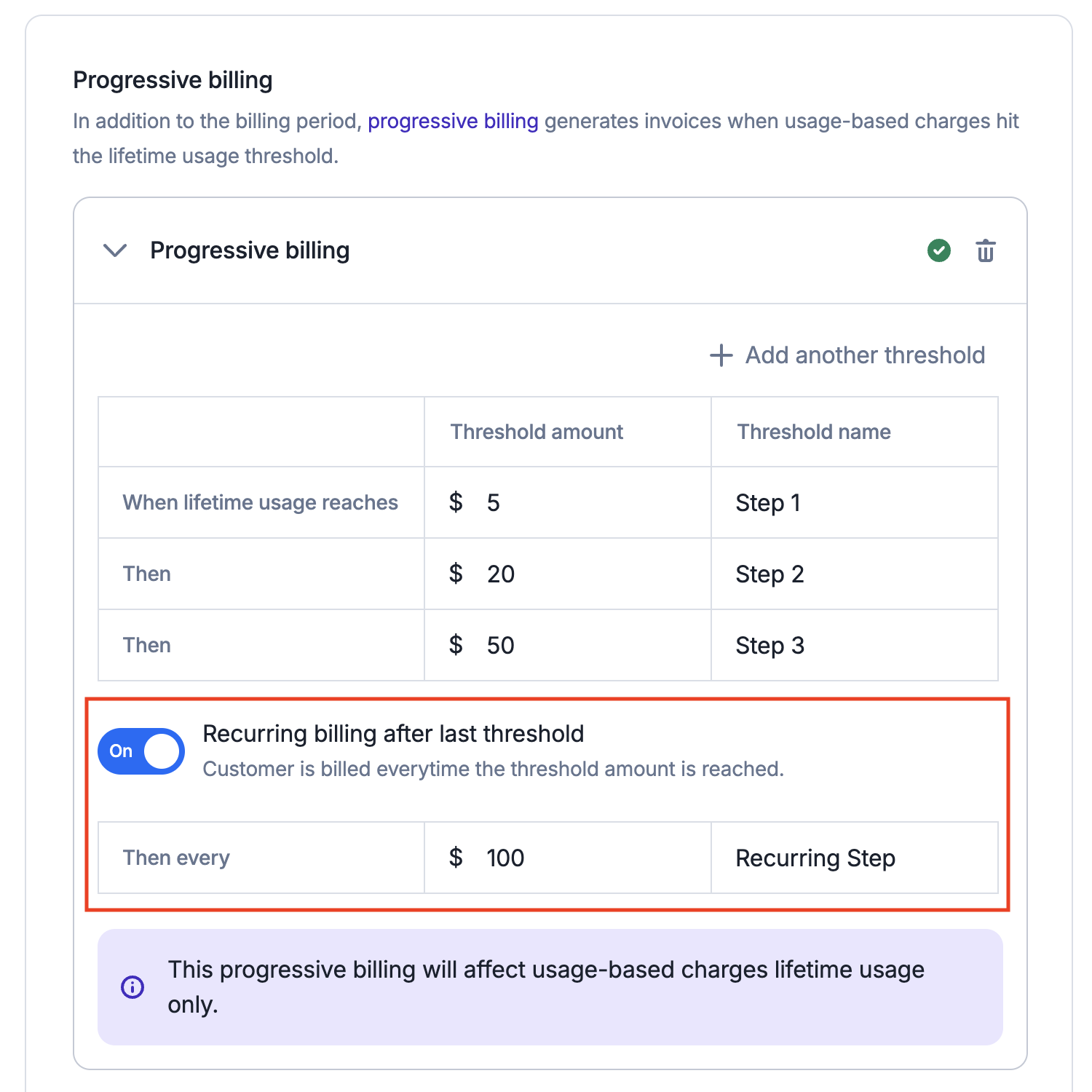
In addition to Step-Based Thresholds, you can also set up a Recurring Threshold. This threshold determines what happens after the final step-based threshold is reached.
If a recurring threshold is defined, Lago will continue to issue invoices each time the lifetime usage increases by the specified amount.
For example, as shown in the image below, after the last threshold, Lago will automatically bill $100 each time the lifetime usage increments by that amount.To add a recurring threshold from the UI:
Navigate to the desired plan;
Access the Advanced Settings;
Locate the Progressive Billing section;
Toggle the ‘Recurring’ switch; and
Enter a name and define the recurring threshold amount.
Threshold billing occurs when the progressive billing job runs, close to
real time. Lago does not trigger the invoice at the exact moment the threshold
is crossed.As a result, Lago will invoice the total usage at the time the job runs, which may slightly exceed the threshold.
For instance, if your billing threshold is $10 but the job runs when the customer’s current usage is $12, Lago will invoice for the full $12.
Only charges billed in arrears (recurring or metered) are included in the lifetime usage calculation for progressive billing invoices.
This means any charges paid in advance are excluded from this progressive billing feature.
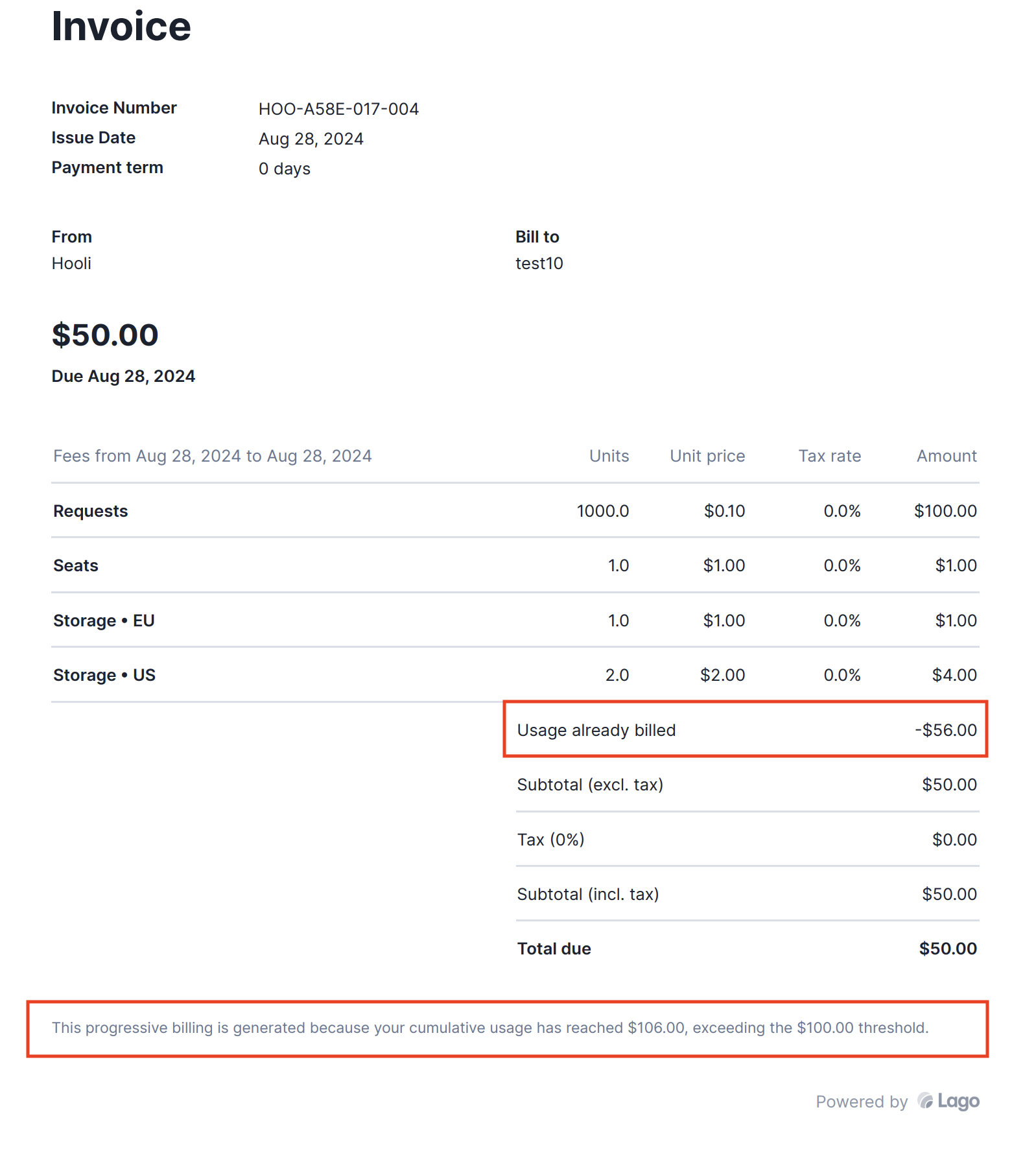
When a customer crosses a threshold for a specific subscription, Lago will invoice the total usage for the current period,
ensuring that any ‘previously billed usage’ is excluded.This approach provides customers with a clear view of their current consumption while preventing them from being charged again
for usage already invoiced under previous thresholds.The invoice template, shown below, includes the following details:
The total usage for the current period;
An adjustment that excludes previously billed usage; and
A footer that provides context, explaining the reason for the invoice, including lifetime usage and the threshold that was crossed.
Progressive billing invoices are not subject to a grace period, so they cannot be in a draft status.
The reason for this is that draft invoices are not finalized, and progressive billing calculations are based solely on finalized invoices. Including draft invoices in these calculations would significantly alter the accuracy of the progressive billing process.
You can override the default plan’s thresholds for a specific subscription,
so that subscription carries its own thresholds. You can add or remove
thresholds, or disable progressive billing for that subscription.
You can edit, add, or remove progressive billing thresholds at any time for a
plan or subscription, or disable the feature entirely. You do not need to
rebuild the plan to adjust them.
Since progressive billing invoices can be triggered at any time during a billing period, it’s crucial to stay informed when a customer crosses a threshold.
Lago sends a webhook notification, subscription.usage_threshold_reached, providing details about the subscription and the specific threshold that was exceeded.